
Personally, when choosing between Docker and Podman to run containerized applications, I choose Podman. Docker is much more popular and synonymous with containers at this point (container = Docker), but I really like that Podman is secure by default, has support for Pods, runs rootless containers by default, and doesn’t require a long-running daemon to run containers (containers are fork/exec children of the Podman process).
A great security feature of Podman is Podman Secrets, which are similar to Kubernetes Secrets.
Sensitive Data in Environment Variables
When working with containers, storing sensitive data (like password, API keys, certificates) into regular .env or configuration files is risky. These are just files protected by filesystem permissions, with sensitive values in plaintext somewhere on disk.
When passing sensitive data as environment variables into the container, the values can leak in many places:
ps auxmight expose process arguments with the sensitive data.podman inspecton a container shows the sensitive data in the output.- If the container crashes, these data might end up in logs.

To store sensitive data use Podman Secrets instead.
What Are Podman Secrets?
Podman Secrets is a native secret management feature in Podman that hides sensitive data from images and the filesystem. Allows containerized applications to access sensitive data (credentials, API keys, certificates) without embedding them in container images or passing them through insecure channels.
Characteristics
- Size Limit
- Secrets have a maximum size of 512KB.
- This size limit is perfect for credentials, certificates, and config files. You shouldn’t store media files or large data as secrets.
- Runtime-Only Availability
- Secrets exist only at container runtime in
tmpfs(RAM) inside the container. - They are mounted when the container starts, are available only during execution, and are unmounted when the container stops.
- Secrets exist only at container runtime in
- Image Isolation
- Secrets cannot be embedded in images.
- They are never written to the container’s writable layer, included in
podman commit, in container archives (podman export), or being distributed through image registries.
- Process Isolation
- Each container gets its own copy of the secret.
- There is no cross-container secret visibility.

What Podman Secrets Protect Against
- Secrets leaking in container images.
- Secrets appearing in
podman inspectoutput. - Secrets in process listings.
- Secrets persisting on disk after container removal.
- Accidental exposure in backups of container configs.
What Podman Secrets Don’t Protect Against
Podman Secrets are stored as base64-encoded files in the host. They are not encrypted. Anyone with read access to your user account can decode them. They provide better security than plaintext files but can be decoded.
Podman Secrets don’t protect against:
- A compromised container (the secret is in the container’s memory).
- Root access on the host system.
- Someone with access to your user account running
podman secret inspect --showsecret.
If someone has root on your system or has compromised your account, they can get your secrets, but at that point, you have bigger problems.
Secret Storage Locations
Location in the Host
- ~/.local/share/containers/storage/secrets/
- User-specific secret location for rootless containers.
- Provides no cross-user secret access.
- /var/lib/containers/storage/secrets/
- System-wide secret location for root containers.
Location Inside the Container
- /run/secrets/
- Secret location inside the container.
- Accessed as a read-only file for the container process.
Working with Podman Secrets
Creating Secrets
From STDIN
- Create a secret by piping content to the command.
# Create a secret by piping content directly
echo -n "my-password" | podman secret create db----
<br>password -
From a File
- Create a secret from an existing file.
# Create a file with secret content
echo "my-password" > secret-file.txt

# Create secret from existing file "secret-file.txt"
podman secret create mysecret /path/to/secret-file.txt
Add Secrets to Containers
Add a secret to a container either as a file mounted in the container’s filesystem or as an environment variable.
# Syntax
podman run --secret <secret>,[option=<option>]
# options:
# - type=mount    - Mount secret as a file (default)
# - type=env      - Add secret as an environment variable
# - target=<path> - Path of the mounted secret inside the container

# As a file (mounted at /run/secrets/ by default)
podman run --secret db-password myimage

# As an environment variable
podman run --secret db-password,type=env,target=DB_PASSWORD myimage

# Mounted at a custom path
podman run --secret db-password,target=/app/config/password myimage
Managing Secrets
# List all secrets
podman secret ls

# Inspect secret metadata (shows details and labels but doesn't shows value)
podman secret inspect mysecret

# Actually show the secret value
podman secret inspect --showsecret mysecret

# Remove a secret
podman secret rm mysecret
External Secret Stores
You can go a step further in secret management by using an external secret management system, to separate the secret from the host and have the container retrieve the secret at runtime from a separate authenticated system.
Some good external secret stores are:
- HashiCorp Vault, which is feature complete and provides really good security, but might be too complex and cumbersome to manage for most cases.
- Bitwarden Secret Manager, which is great if you are already using Bitwarden and don’t want to use another tool.
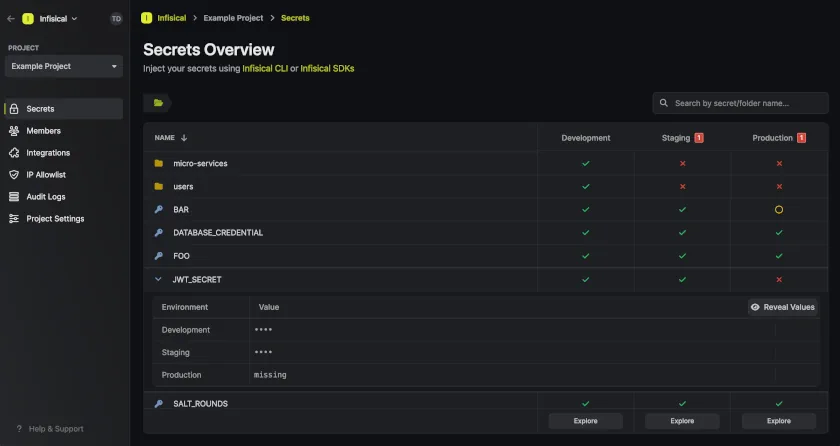
- Infisical, which for me provides a good middle-ground. Really simple to setup and use, its open-source, and self-hostable. Personally, I use Infisical.
In The End
In the end, the choice for secret management depends on complexity and threat level. For most purposes the native Podman Secrets + good local system security is enough, but you can use an external secret store if you are working on more complex projects.