Table of Contents
SSL/TLS certificates are not that bad once you understand them, unlike DNS (which is always painful) getting HTTPS working for self-hosted services is actually pretty simple.
Most of my home server services run as Podman containers accessible through a VPS gateway with a public IP. To access those services securely from anywhere, they all need to be behind HTTPS, which means i have to use certificates.
SSL/TLS Certificates
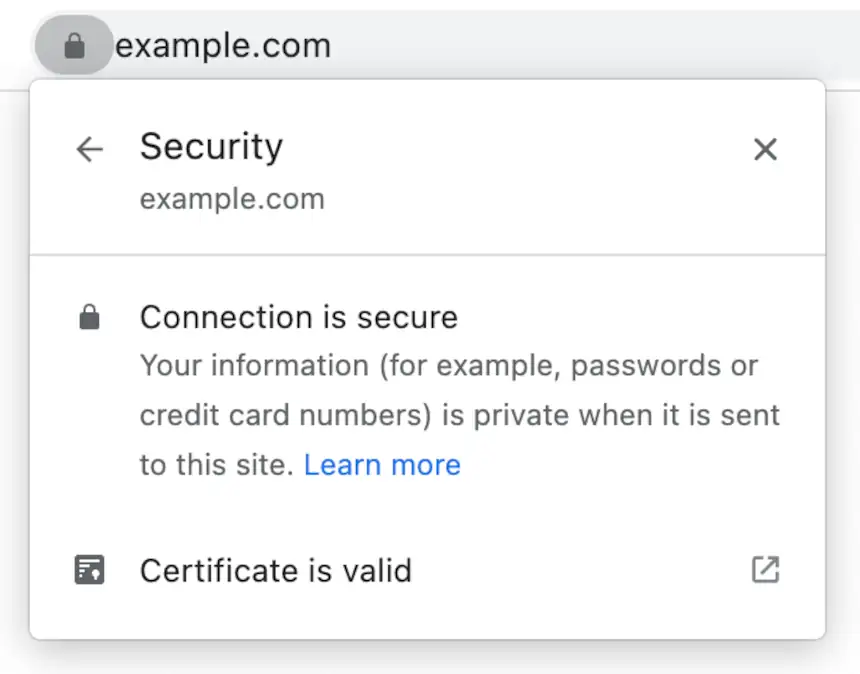
When you see a padlock icon in your web browser, a TLS certificate is doing 2 things: encrypting your connection so nobody can read the traffic in transit, and verifying that the server you’re talking to is actually who it claims to be.
SSL (Secure Sockets Layer) is the old, deprecated name of the protocol that everyone still uses out of habit (and feels better to say honestly). TLS (Transport Layer Security) is the actual current protocol. Both names are usually used interchangeably, but today TLS is the go to.
For self-hosted environments you have 2 options. Using a public Certificate Authority like Let’s Encrypt, which is free, automated, trusted by every browser or run your own private CA for internal services, which gives you more control but is more complex to setup.
For self-hosted services, the go-to Certificate Authority is Let’s Encrypt, which is free, automated, and trusted by every browser out of the box. The other option is running your own private CA, which gives you more control but is more complex to set up and maintain.
My Setup
I’m a believer in KISS (Keep It Simple, Stupid). The topology looks like this:
Internet → VPS (Headscale + port forwarding) → Tailscale VPN → Home Server (Caddy + Podman containers)
Cloudflare manages DNS, pointing each subdomain to the VPS public IP. The VPS runs Headscale for VPN coordination and forwards incoming traffic on port 443 through the Tailscale tunnel to the home server. Caddy runs on the home server, handles TLS termination, and reverse proxies requests to the right container. Services get their own subdomains, like auth.example.com, home.example.com, and so on.
Since the home server isn’t directly reachable from the internet, Caddy can’t use HTTP-01 challenges for Let’s Encrypt, those require Let’s Encrypt to connect back to your server on port 80. Instead, Caddy uses DNS-01 challenges via the Cloudflare API, where domain ownership is verified through a DNS TXT record instead. No exposed ports needed.
Everything stays protected behind the VPN, and Caddy handles all the certificate management automatically. Adding a new service is just a new entry in Caddy and a DNS record in Cloudflare.
Why Caddy?
Caddy is the reverse proxy and certificate manager running on my home server. I like it above other options because it’s so straightforward and easy to configure.
I tried nginx and Traefik, but even though nginx works great, it requires a separate certbot setup and additional configuration, which is overkill for a simple setup. Traefik has great container orchestration features, but adds configuration complexity I don’t need for what is essentially a simple reverse proxy.
Caddy handles the entire certificate lifecycle automatically. Since the home server isn’t publicly reachable, it uses DNS-01 challenges with the Cloudflare API instead of HTTP-01. Caddy creates a temporary TXT record in Cloudflare to prove domain ownership, gets the certificate, then cleans up the record.
Some Alternatives
Here are some alternatives worth knowing:
Cloudflare Tunnels skip the VPS entirely by routing traffic through Cloudflare’s network. Setup is extremely simple (no VPS to manage) but you’re trusting Cloudflare with all your traffic.
Traefik with Docker/Podman is worth considering if you’re running a large number of containerized services and want automatic service discovery via container labels. It’s more powerful than Caddy, just more complex to configure.
nginx with certbot works great and gives you more control over every aspect of certificate management. Its a great choice for complex configurations and control.